Claim and Verify Google Business Profile

Did you know that an optimized Google Business Profile can significantly increase your visibility and attract potential customers? In today's digital landscape, your online presence is more crucial than ever.
What You Will Learn
- Your Google Business Profile acts as a digital storefront, enhancing visibility in local searches.
- Optimizing your profile helps improve your local SEO and drive traffic to your website or physical location.
- Customer engagement through reviews and posts can increase credibility and customer trust.
- Understanding various verification methods is essential for claiming your profile successfully.
- High-quality images and complete business information can significantly boost your profile's appeal.
Google Business Profile: Key Verification Methods
Verifying your Google Business Profile is a critical step. Below, we compare the primary verification methods, highlighting their speed and eligibility requirements.
Mail Verification
Process: Postcard with code sent to business address.
Speed: Several days to weeks (reliable).
Eligibility: Widely available.
Phone Verification
Process: Instant code via phone call.
Speed: Instant (quickest).
Eligibility: Not all businesses qualify.
Email Verification
Process: Code sent to business email.
Speed: Quick (pending eligibility).
Eligibility: Pending eligibility.
Video Verification
Process: Record video of business location/ownership.
Speed: Can be complex but effective.
Eligibility: Specific situations.
A Step-by-Step Guide to Claiming Your Google Business Profile
As a local business, having a Google Business Profile is like having a well-lit storefront in a bustling marketplace. It significantly enhances your visibility and attracts customers right when they are looking for the services you offer. With a properly optimized profile, you're not just increasing your online presence; you're also boosting your chances of being discovered by potential customers in your community! To learn more about optimizing your profile, check out our guide on how to optimize your Google Business Profile.
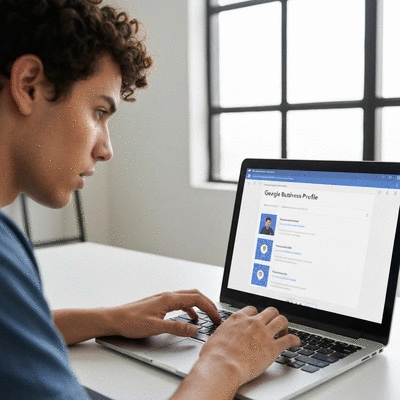
At Local SEO Solutions Australia, we understand the unique challenges faced by Australian businesses when it comes to online visibility. A well-maintained Google Business Profile can help you stand out and connect with your audience. Here are some of the key benefits:
- Increased Visibility: Appear in local search results, maps, and Google searches.
- Customer Engagement: Interact with customers through Q&A, reviews, and posts.
- Essential Business Information: Display your hours, address, and website in one place.
When you optimize your Google Business Profile, you’re taking a critical step toward enhancing your local SEO strategy. So, let’s dive into how you can claim your profile and make the most out of this powerful tool!
Understanding the Importance of a Google Business Profile
Your Google Business Profile is essential for local SEO because it serves as the primary channel through which customers find your business online. Think of it as your digital business card! Not only does it provide essential information like your address and contact details, but it also enhances your credibility in the eyes of search engines.
Moreover, when potential customers find your business profile, they’re not just seeing a name and address; they’re seeing reviews and photos that showcase your offerings. This can create a first impression that leads to higher engagement and foot traffic. To sum it up, an optimized Google Business Profile is vital for:
- Building trust with your audience through reviews and ratings.
- Driving traffic to your website or storefront.
- Improving your ranking in local search results.
How Google My Business Enhances Your Online Presence
Google My Business is more than just a listing; it’s a comprehensive tool that enhances your entire digital marketing strategy. By integrating your business information into Google’s ecosystem, you're not only making it easier for customers to find you, but you're also enhancing your online reputation. When your business information is consistent across the web, search engines perceive you as a trustworthy source. For more detailed insights on managing your profile, explore our guide on how to master Google Business Profiles.
Here’s how Google My Business contributes to your overall online presence:
- Local SEO Boost: Optimized profiles rank higher in local searches.
- Insights and Analytics: Access data about how customers interact with your profile.
- Customer Interaction: Responding to reviews shows you care about customer feedback.
Incorporating Google My Business into your strategy can provide invaluable insights and improve your online reputation. Trust me; as a digital marketing strategist, I've seen firsthand how it can transform a business's visibility in the local market!
How to Initiate the Claiming Process
Ready to claim your Google Business Profile? The process is straightforward and can be done in a few simple steps. First, you’ll want to access the Google Business Profile page to get started. Here’s how you can do it:
- Go to the Google Business Profile page.
- Click on the “Manage now” button.
- Enter your business name and address to search for your listing.
- If you don’t see your business listed, click on “Add your business” to create a new listing.
Once you’ve entered your details, follow the prompts to fill in your business information accurately. Remember, consistency is key! The more accurate and detailed your profile, the better your chances of verification later on.
Navigating the Verification Process for Google Business Profile
After claiming your profile, the next step is verification. This is crucial to ensure that you are the rightful owner of the business and helps Google display accurate information to potential customers. Verification can be done through various methods, each with its pros and cons.
Verification Methods Explained: Mail, Phone, Email, and Video
There are multiple verification methods available, and each has its unique benefits. Here’s a breakdown:
- Mail: Google sends a postcard with a verification code to your business address. This method is reliable but can take several days to weeks.
- Phone: If eligible, you can verify instantly via a phone call. This is the quickest method but not all businesses qualify.
- Email: Similar to phone verification, this method is quick and allows you to receive your code via email, pending eligibility.
- Video Verification: A newer method where you may need to record a video showing your business location and ownership. This can be more complex but effective in certain situations.
Choosing the right verification method can save you time, so consider what works best for your business!
Understanding the Role of Verification Codes in the Process
Verification codes are the keys to unlocking your Google Business Profile. These unique codes are provided once you initiate the verification process and must be entered in your profile to confirm your ownership. Each code is time-sensitive, meaning you have to complete the verification within a set timeframe.
When you receive your verification code, make sure to keep it secure and follow the instructions for entering it. If you lose the code or don’t receive it, don’t worry! You can always request a new one through your profile.

Required Documents for Successful Verification
To smooth out the verification process, having the right documents ready can make a world of difference. Here’s a list of essential documents that Google may require:
- Business License: This proves that you are legally operating your business.
- Utility Bill: A recent bill with your business name and address serves as proof of location.
- Lease Agreement: If you rent your space, this document can validate your business location.
Make sure all documents match the information on your Google Business Profile. This consistency will help avoid delays in the verification process!
Pro Tip
To truly leverage your Google Business Profile, consider integrating local keywords into your business description and posts. This not only improves your SEO but also helps potential customers find you when searching for services in your area. Remember, the more relevant and localized your content, the greater your chances of being discovered!
Recap of Key Steps to Claim and Verify Your Google Business Profile
As we wrap up this guide, let's take a moment to recap the key steps we've discussed for claiming and verifying your Google Business Profile. First, it’s essential to understand the significance of this process in enhancing your local SEO and overall visibility. From accessing your profile to navigating the verification methods, each step requires careful attention to detail.
Remember, the verification process can be straightforward if you follow these steps:
- Access the Google Business Profile site.
- Initiate the claiming process.
- Select your preferred verification method (mail, phone, email, or video).
- Submit the required documents and verification codes.
By following these steps diligently, you're already on the right path to boosting your online presence. Keep in mind that the more accurate your information is, the smoother the verification process will be!
Next Steps After Verification: Maximizing Your Google Business Profile
Optimizing Your Profile for Increased Engagement and Visibility
Congratulations on getting your Google Business Profile verified! Now, it’s time to leverage this powerful tool to enhance your visibility and engage with customers. Start by optimizing your profile with accurate and enticing information. Here are a few tips for optimization:
- Complete every section: Ensure your business name, address, phone number, and operating hours are up-to-date.
- Add high-quality images: Visuals can showcase your products or services, making your profile more inviting.
- Utilize posts and updates: Regularly share news, offers, and events to keep your audience engaged.
By incorporating these optimization strategies, you can significantly increase customer engagement and visibility, ultimately leading to more traffic and conversions for your business!
Understanding Customer Reviews and Their Impact on Local SEO
One of the most impactful aspects of your Google Business Profile is customer reviews. They not only provide social proof but also influence your local SEO rankings. Positive reviews can enhance your business's credibility and visibility in search results.
To maximize the impact of reviews, consider the following:
- Encourage satisfied customers to leave positive feedback.
- Respond to reviews—both positive and negative—to show that you value customer feedback.
- Monitor your review ratings regularly to identify areas for improvement.
Embracing customer feedback and actively managing your reviews can drive substantial benefits for your local SEO and overall business reputation. For further reading, see our article on how local reviews enhance business visibility.
Engage with Our Community for More Insights
We’d love to hear your experiences with the claiming and verification process of your Google Business Profile! Have you faced any challenges or discovered strategies that worked well for you? Feel free to share your thoughts and questions with us. Together, we can foster a community of support and knowledge as we navigate the world of local SEO.
FAQs about Google Business Profile Verification
- Why is verifying my Google Business Profile important? Verifying your profile confirms your ownership and helps Google display accurate information, which is crucial for local SEO and attracting customers.
- What are the main methods for Google Business Profile verification? The primary methods include mail verification (postcard with code), phone verification (instant code via call), email verification (code via email), and video verification (recording business location/ownership).
- How long does mail verification typically take? Mail verification can take several days to weeks, as Google sends a postcard with a code to your business address.
- Are all businesses eligible for phone or email verification? No, not all businesses qualify for instant phone or email verification; eligibility depends on specific Google criteria.
- What documents might I need for verification? Google may require documents such as a business license, a recent utility bill with your business name and address, or a lease agreement to prove your business location.
- What should I do after my Google Business Profile is verified? After verification, you should optimize your profile by completing all sections, adding high-quality images, utilizing posts and updates, and actively managing customer reviews to enhance engagement and visibility.
Recap of Key Points
Here is a quick recap of the important points discussed in the article:
- Claim your Google Business Profile to enhance local visibility and attract customers.
- Verify your profile using methods like mail, phone, email, or video for authenticity.
- Ensure your business information is accurate and complete for better search rankings.
- Utilize customer reviews to build trust and improve local SEO performance.
- Regularly update your profile with engaging content and high-quality images.

Sophie Langford
Sophie Langford is an experienced digital marketing strategist specializing in local SEO, with a keen understanding of the Australian market. She offers businesses the tools and insights needed to significantly improve their local search visibility. Sophie's passion lies in empowering local enterprises to thrive by harnessing tailored online strategies.
Popular Posts
Boost Local SEO with Reviews
![How to Use Customer Reviews to Improve Your Local SEO Strategy]() Customer reviews are more than just feedback—they can be the driving force behind your local SEO s
Customer reviews are more than just feedback—they can be the driving force behind your local SEO s
 Customer reviews are more than just feedback—they can be the driving force behind your local SEO s
Consistent NAP for Local SEO
![The Importance of Consistent NAP in Local SEO]() What's the one thing that can make or break your local SEO efforts? It’s not just your website des
What's the one thing that can make or break your local SEO efforts? It’s not just your website des
 What's the one thing that can make or break your local SEO efforts? It’s not just your website des
Managing Negative Reviews for SEO
![The Impact of Negative Reviews on Local SEO and How to Manage Them in Australia]() What if a few negative reviews could dramatically impact your business's visibility? In the world of
What if a few negative reviews could dramatically impact your business's visibility? In the world of
 What if a few negative reviews could dramatically impact your business's visibility? In the world of
Google Business Profile Setup Mistakes
![Common Mistakes to Avoid in Google Business Profile Setup]() Did you know that businesses with a complete Google Business Profile can see up to a 70% increase in
Did you know that businesses with a complete Google Business Profile can see up to a 70% increase in
 Did you know that businesses with a complete Google Business Profile can see up to a 70% increase in
